
2026-05-26
SIM Lock, IMEI and Blacklist: The Checks to Run Before You Buy
How to work out whether a second-hand iPhone is free of a SIM lock, a network block and remote management, with checks you can run yourself in a few minutes.
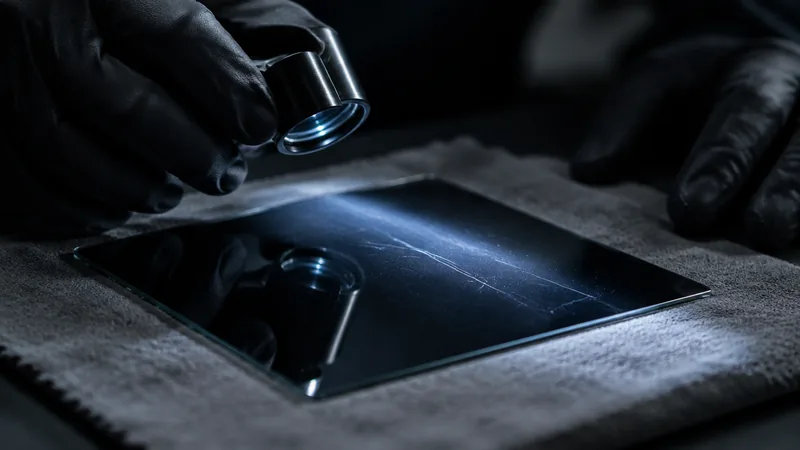
SIM lock, IMEI and blacklist: what to check before you buy
A second-hand device can look immaculate and still be unusable. That is rarely down to the screen or the battery, but to something you cannot see: a SIM lock, a blocked IMEI number, an active iCloud account or a management profile from a company or school. They are four different things with four different causes, and each calls for its own check. They do have something in common: you cannot sort them out once you have bought the device.
What an IMEI is and where to find it
The IMEI number is the unique fifteen-digit number a device uses to identify itself on a mobile network. You can find it in four places: by dialling *#06# in the phone app, under Settings > General > About, on the label on the box, and on older models engraved on the SIM tray or on the back. Devices with two eSIM profiles show two numbers, which is normal.
The first check is also the easiest: see whether the number in Settings matches the one on the SIM tray and on the box. If it does not, the box does not belong with the device or more than just a screen has been replaced. That is not proof of anything, but it is a question you want to ask before you pay.
SIM lock
A SIM lock is a block from the network provider that makes the device accept SIM cards from that provider only. In Belgium and the Netherlands you mainly come across it on devices that were supplied together with a contract or an instalment plan. There are two ways to check it. Put a SIM card from another provider in the device and try to make a call, or look under Settings > General > About at the line about the SIM lock: it should say that there are no restrictions. Do not confuse this with the PIN of the SIM card, or with the activation lock; those are different things.
Only the provider that put the SIM lock in place can take it off. No shop will do it for you, and services that promise to remove a SIM lock for a small fee are no basis on which to build a purchase. We do not buy devices with a SIM lock, precisely because we cannot resell them unrestricted.
Blacklist
An IMEI can be blocked, for example because the device has been reported stolen or because an instalment plan is not being kept up. A device like that gets no connection to the mobile network of the providers that follow the list, and those lists are shared internationally. Moving to another country or another provider therefore does not solve it.
The sting is in the test. A blocked device otherwise works perfectly normally over Wi-Fi: apps, camera, everything. You will notice nothing in a short test if you do not put your own SIM card in the device. So ask for the IMEI number in advance, have it checked with your own provider, and when the device is handed over always put your own SIM card in it and actually make a call. Bear in mind too that a block can come after your purchase, with a running instalment plan that stops. That is why a proof of purchase and a seller you can trace are not a formality.
Activation lock and iCloud
If the previous owner has not signed out, the device stays tied to their Apple account. After a reset, the setup then asks for a password you do not have, and that is where it ends. This is the most common reason why a second-hand iPhone turns out to be worthless.
The correct order is for the seller to sign out and erase the device completely via Settings > General > Transfer or Reset iPhone > Erase All Content and Settings. Your check: the device has to start up at the welcome screen and you have to get through activation without being asked for someone else's account. Never accept a promise that it will be sorted out afterwards. No shop can remove an activation lock and Apple only does so for the registered owner with a proof of purchase.
Remote management and supervision
Devices from companies and schools are often in a management system. You can see that during setup as a screen about remote management, or afterwards under Settings > General > VPN & Device Management. On a supervised device there is also a message in the settings saying that it is managed by an organisation. Only that organisation can release the device. A reset does not help: the profile comes back at the next activation. We do not buy these devices either.
The smaller checks you do alongside
- Battery health under Settings > Battery: the percentage of remaining capacity and whether there is a message about performance.
- Parts and service history under Settings > General > About on newer models: that tells you whether a screen or battery has been replaced and whether the device recognises the part. A replaced part is not necessarily bad, but you want to know about it.
- All the cameras, front and back, in every mode. Actually enrol the facial recognition or the fingerprint, rather than only seeing that the menu exists.
- Both loudspeakers, the microphones, wireless charging and the charging port with your own cable.
- The glass at an angle to the light, and the edges: that is where you see a fall first.
What we do about this
Every device that comes in here goes through 32 checkpoints in our own workshop in Zarren. SIM lock, management profile and iCloud are at the top of that list, because a device that is stuck on any of those does not go on sale and is not accepted for trade-in either. After that come the battery, the connections, the cameras and the sensors, and finally the device is given a new screen and a new housing, so that you do not have to assess the glass yourself afterwards. If you want to sell a device yourself, the checklist under sell your device reads like the reverse of this article. More about the checks themselves can be found under quality.
If you do buy privately
- Ask for the IMEI number before you meet and have it checked.
- Arrange to meet somewhere with network coverage, and bring your own SIM card.
- Have the device erased completely in front of you and taken through activation.
- Check the SIM lock field under About and actually call someone.
- Only pay once the device is on the home screen with your SIM card in it.
- Ask for a proof of payment with the IMEI number on it.
That is ten minutes of work. It is the difference between a device that lasts for years and a device you can only pass on as a parts donor.