
2026-09-01
Refurbished for Companies and Schools: Invoices, Fleets and Proof of Erasure
How to buy refurbished devices on invoice as a company or school, build a fleet you can actually maintain, and retire old devices with proof that they are empty.
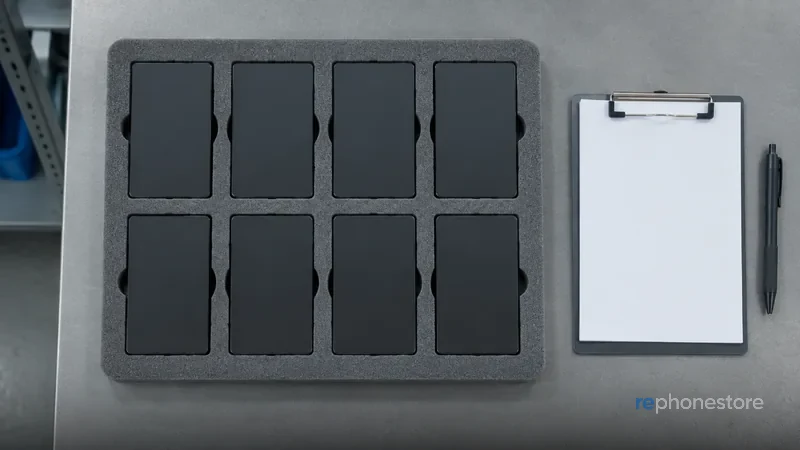
Why organisations do the sums differently
A private buyer buys one device and looks at the price. An organisation buys ten devices and looks at what those cost together over three years, including the hours of whoever manages them. That is what the sum turns on. Uniformity is worth more than the latest generation: one model means one type of case, one charger, one spare device on the shelf and one set of instructions for new staff. A used device that has been checked and repaired fits that logic better than the newest model, because you can buy more of them and because nobody is bothered by a scratch on a work device.
Invoice and VAT
Business purchases can be made with us on invoice, in the name of the company, the non-profit or the school. If you have a valid VAT number outside Belgium, the invoice can be drawn up with the VAT reverse charge, so that you handle the VAT in your own country. For your bookkeeping a refurbished device is an ordinary purchase with an ordinary invoice document; there is no exception in that. What you are best off arranging in advance is which name and which address the invoices should go to and whether you want one invoice per delivery or a collective invoice. That sounds like admin, and it is, but it saves a lot of back and forth later.
From five devices onwards
From five devices onwards we work with a separate quote instead of the webshop price. That is not only a question of numbers. With a quote we can reserve devices of the same model and the same storage capacity together, so that your fleet really is uniform and does not consist of six generations. You do not have to choose between tidier and less tidy examples either: every device is given a new screen and a new housing in our workshop, so a device for the front desk and a device for the warehouse look identical. And you know in advance how many devices are available, instead of discovering that there were only two left in stock. Requests go through business and schools.
Building a fleet you can maintain
- Choose one or two models, not six. Spare parts, cases and instructions then stay simple.
- Take one spare device per ten. A member of staff without a device costs more than a device on the shelf.
- Choose more storage than you think. Devices pass through several hands and are rarely tidied up.
- Settle the management before delivery. Decide which management system you use and who enrols the devices, otherwise that happens device by device and by feel.
- Keep a list of IMEI numbers and who has which device. Without that list every incident starts with a search.
Taking devices out of service
This is where it most often goes wrong at organisations, and it really does cost money. A device that is still in the company's management system, or that still has the active iCloud account of a member of staff who has left, cannot be put back into use by anyone. We do not buy such devices, because they cannot be released: devices with a SIM lock, an MDM lock or an active iCloud account are out. So include in your exit procedure that a device is removed from the management system and that the member of staff signs out of iCloud before the device disappears into a drawer. A forgotten sign-out by someone who left the company months ago is an awkward case after the fact.
The erasure certificate
For a business trade-in of five devices or more we supply an erasure certificate per device, with the IMEI number on it. That is the document which records that the storage of that specific device has been erased, and it is exactly what an organisation needs in its own data protection file. A general statement that something somewhere has been erased does not get you anywhere in an audit; a certificate per serial number does. For schools and care institutions that is usually not a luxury but a requirement, and it is also the reason not to lose devices to a trade-in scheme that leaves you nothing to trace afterwards.
What happens to those devices
Devices we buy in go through the same 32 checkpoints as everything else, in our own workshop in Zarren. Blocking status, network lock, management profiles and iCloud are checked, the storage is overwritten, and anything that is not in order goes on the workbench, including board-level repair instead of writing a device off. A battery below 85% is replaced. The device is then given a new screen and a new housing, and it goes on sale with 24 months of warranty on the device and the battery. That is also why a business fleet in reasonable condition fetches a real price instead of a symbolic amount: the housing you have worn out is not an end point for us.
Prices, payment and delivery
A trade-in price is fixed for 14 days, which matters more with a fleet than with a single device: you need time to get internal approval without the amount changing along the way. Once approved, payment follows within two working days. On purchases, shipping within Belgium and the Netherlands is free, you have 30 days to change your mind with free returns, and the warranty runs for 24 months. If you are handing in old devices and buying new ones in the same move, it is handy to put that in one quote, so that the planning adds up on both sides and your staff are not left without a device for a week. You can have a device valued in advance via sell your device.