
2026-05-19
Which iPad Fits Secondary School, and What You Can Skip
What an iPad for secondary school really has to do, where storage and battery make the difference, and which extras are not worth paying for.
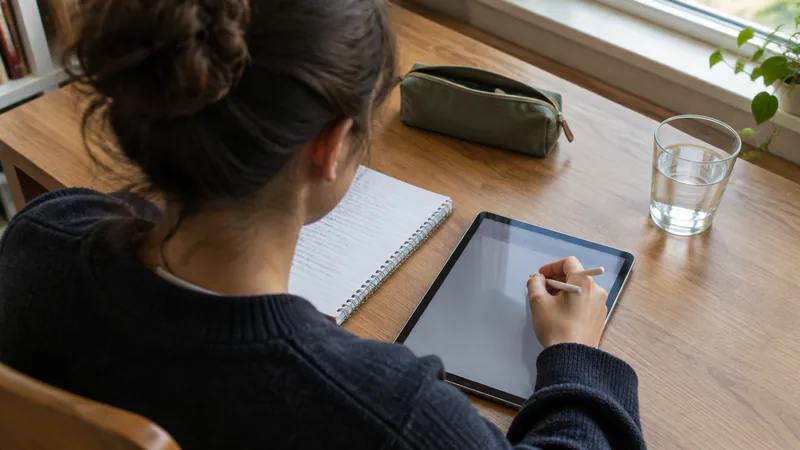
Which iPad fits secondary school and what you do not need
The school list usually says something like: an iPad with at least 64 GB, a case and a keyboard. Between the devices that meet that, the price difference easily runs up to double. What an iPad has to be able to do in class is limited, though: open documents, take notes, show a textbook, and now and then a presentation or a short video for an assignment. The rest is comfort. Below is what to look out for, and where you can save without consequences.
Start with the school's list
Ask for three things before you buy anything: which model the school accepts as a minimum, which version of iPadOS the apps in use need, and whether the school takes the device into its own management. That last point is the most important. Schools that manage iPads centrally put a management profile on the device. That is only possible on an iPad that is not already tied to someone else's management. A second-hand iPad with an MDM lock from a previous school or employer is unusable for you: after a reset that lock simply comes back during setup and there is nothing you can do about it. That is why we do not buy devices with an MDM lock, a SIM lock or an active iCloud account, and so you will not find them among the iPads in the shop either.
Storage is the one thing you cannot adjust later
A battery can be replaced, a screen can be replaced, storage cannot. 64 GB works, but fills up as soon as photos, offline films and a video assignment are added. An iPad that is almost full stops downloading updates, complains about backups and feels slower than it is. 128 GB is the size that gets you through an entire school career without having to think about it every month. Much more than that makes little sense for schoolwork. Anyone who really is working on heavy video projects is better served by an external drive than by a more expensive device.
The battery decides whether it lasts the school day
A school day lasts eight hours and in many classrooms there is no socket within reach. With a second-hand device, battery health is therefore not a detail but the heart of the matter. An iPad does not always show that information itself, depending on the model and the iPadOS version, so there is little you can read off it in an advert. We measure it in the workshop. Every device that leaves here has at least 85 per cent battery capacity; if it is below that, a new battery goes in before it goes on sale. That battery, like the device, comes with 24 months of warranty.
Appearance: there is nothing to choose here
At many shops you choose here between a tidier and a less tidy tablet, and that is usually the item people save on. With us that choice does not exist: every iPad is given a new screen and a new housing in the workshop. A school iPad is in a case from day one and goes into a rucksack between the books, so that unblemished glass disappears behind plastic soon enough, but it also means you do not inherit the previous owner’s scratches and you do not have to go over the screen looking for old knocks. With a school tablet, then, your saving is not in the appearance but in the generation: an entry-level model or an Air a few years old does exactly the same job in class as the newest model. How we rebuild and check a device is explained under quality.
Laminated screen or not
The entry-level models have a screen with a thin layer of air between the glass and the panel. The Air and the Pro have a laminated screen, where that layer is absent. You notice the difference mainly with a Pencil in your hand: on a laminated screen the tip seems to sit closer to the line and it writes more calmly. For reading, video and typing it makes little difference. If there is handwriting all day, you will feel it after a week.
Pencil and keyboard
First ask the question of whether there will be handwriting. Maths, diagrams, timelines and drawings are quicker with a Pencil; reports and texts are quicker with a keyboard. Only buy the Pencil once you know which iPad model it is going to be, because not every Pencil fits every generation: the way they pair and charge differs. Cheap styluses without pressure sensitivity work for an arrow on a diagram, but not for writing on for any length of time, and they ignore the hand resting on the screen. For the keyboard, a folio case with keys is usually the sober choice: it protects the screen in transit and that is exactly what has to go along in a rucksack.
Wi-Fi or mobile internet as well
A model with a SIM card sounds handy, but at school there is Wi-Fi and at home there is too. For when you are out, the phone's hotspot is enough. You pay more for a cellular model at the time of purchase and then every month for data you barely use. Only if the device is going to be used somewhere permanently out of Wi-Fi range is it worth it.
What you do not need
- A Pro. The higher refresh rate, the better screen and the faster connection are not noticeable in a classroom.
- 512 GB or more. Schoolwork is text, photos and the occasional video; those will not fill 128 GB.
- The largest size. Bigger is pleasant on a desk, but heavier in a rucksack and awkward on a small desk next to an open textbook.
- The very newest model. A generation older does exactly the same job in class for less money.
- A mobile plan for the iPad, unless there really is no Wi-Fi where it is going to be used.
How long does it have to last
Count on the whole of secondary school. Apple does not announce an end date for updates in advance, but in practice newer models get a new version of iPadOS for longer than older ones do. So do not buy the oldest model that only just works. A model that is a few years old is the zone where price and remaining lifespan meet. If you are unsure about a particular device, ask before you buy rather than afterwards.
Warranty is not insurance
Warranty covers defects: something that was already there or that breaks without anything having happened to it. An iPad that falls down the stairs or has a bottle of water spilled over it is not covered, with any seller. What does help against that is banal: a case with a raised lip around the glass, and a screen protector that you replace as soon as it is deeply scratched. If it does go wrong, repairing is almost always cheaper than replacing. Our workshop in Zarren also works at board level with microsoldering, so even a device that no longer starts up is not automatically lost. What the warranty covers and how to invoke it is set out under warranty.
In short
Ask for the school’s list and its management set-up, go for 128 GB, take an entry-level model or an Air from a recent generation, save on the generation instead of on the storage, give mobile internet a miss and only buy the Pencil and the keyboard once the model is settled. Then you have a device that will simply do its job for six years, and that is all a school iPad has to do.