
2026-08-18
Back to School With a Refurbished iPad: What the School Actually Needs
Which iPad the school is really asking for, how much storage you need, which Apple Pencil belongs with it and why a management lock makes a second-hand tablet worthless.
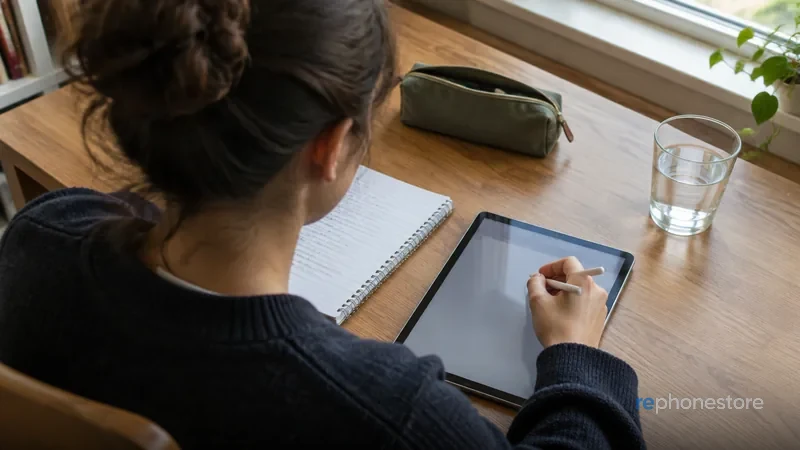
Start with the letter from the school
Every school writes something different, and it rarely says exactly what you need to know. Look for four things in that letter. Which minimum model or which minimum iPadOS version is asked for. Whether an Apple Pencil is used, and if so which one. Whether a keyboard is needed. And whether the school enrols the device in its own management system. That last point looks like a detail for the IT department, but it determines whether a second-hand device is usable at all. If it is not in there, phone the school. That costs five minutes and prevents you from having a tablet in September that cannot join in.
Which model is enough
For schoolwork an iPad is rarely too slow. Taking notes, writing texts, a learning platform, watching video and drawing something now and then: that does not call for a heavy chip. What does count is how long the model still gets software updates, because a pupil often uses that device for several school years. So choose a more recent generation in a simple version rather than an older top version. A larger screen is pleasant for anyone who reads and annotates all day, but it is also more weight in a school bag. For most pupils a regular model or an Air is the practical middle ground.
Storage, wifi and mobile data
Storage is the choice where people most often go too tight. School books and manuals in pdf, spoken assignments, photos of the board and videos for a presentation add up faster than you think, and a tablet that is full becomes slow and annoying. Take a step more than you think you need, because storage cannot be added afterwards. A version with mobile data is almost never needed for school: there is wifi at school and at home, and on the road the tablet can connect through your child's phone. That money is better spent on storage or on a decent case.
The Apple Pencil is not one product
This is where it regularly goes wrong with a second-hand purchase. Which Pencil belongs with an iPad differs per model and per generation. One is charged magnetically on the side, the other through the connector or with a cable, and they are not interchangeable. If you buy a Pencil on the second-hand market first and a tablet after that, there is a real chance that they will not work together. So first check which Pencil belongs with the model you are buying, and buy them in that order. Every device in our iPad overview states which variant fits it, and if you are unsure, it is better to ask once than to post things twice.
Management lock: the most important check
Many iPads come from a school or a company and are enrolled there in a management system. You can wipe and set up such a device, and then during installation it still asks for the enrolment of that old organisation. Without that organisation you will not get through it, and there is no trick that solves that. That is why we do not buy devices with an MDM lock, a SIM lock or an active iCloud account. They cannot be released, so they do not belong on sale. If you buy second-hand elsewhere, have the seller wipe the device and run through the installation to the home screen while you are there.
Battery on a school day
A tablet that is flat at two in the afternoon is useless for a pupil. With a used device the battery is therefore not a side issue. We measure that capacity and do not let it go out the door below 85%: if it is under that, a new one goes in, and the warranty on that battery simply runs along for 24 months. On top of that, teach your child the habit of putting the tablet on the charger in the evening instead of hanging a power bank on it all day. And do not let it lie in a warm car or on a radiator, because heat costs capacity that does not come back.
Protection that really helps
- A case with a raised edge around the glass. A tablet almost always falls flat, and that edge is the difference between nothing and a new screen.
- A cover that shields the screen in the school bag, between the folders and the keys.
- A name sticker or an engraving, and the IMEI or serial number noted down at home.
- Its own charger in the school bag, because borrowed chargers of unknown make are a recurring cause of damage to the charging circuit.
Why refurbished makes sense here
A school tablet has a harder life than a device with an adult, and at some point it gets knocked against something. It is then more pleasant if the device was not new. With us every iPad goes through 32 checkpoints in our own workshop in Zarren, the storage is overwritten, and anything that is not in order goes on the workbench first. After that the device is given a new screen and a new housing, so there is nothing to choose on appearance: there are no signs of use, and there is no cheaper version with scratches either. You have 24 months of warranty, 30 days to change your mind with free returns, and shipping within Belgium and the Netherlands is free.
And for the school itself
If the school or the parents' committee buys several devices, that works differently from one tablet in a webshop. From five devices onwards we draw up a separate quote, with an invoice in the name of the school or the company, and with an erasure certificate per device with the IMEI number on it. You need that document in your own data protection file, and it is also the proof that the previous content really is gone. With a valid VAT number outside Belgium the invoice can use the VAT reverse charge. How that works is on the page for business and schools.